Thomas Eapen · Selected presentation slides
The Git-centred workflow
I presented how Git records changes and supports collaboration, from local commits to sharing work across a team.
Selected historical teaching slides
6 selected slides · PDF contains 4 core slidesSelect a slide to enlarge itSlide order follows the original presentation
Slide 9
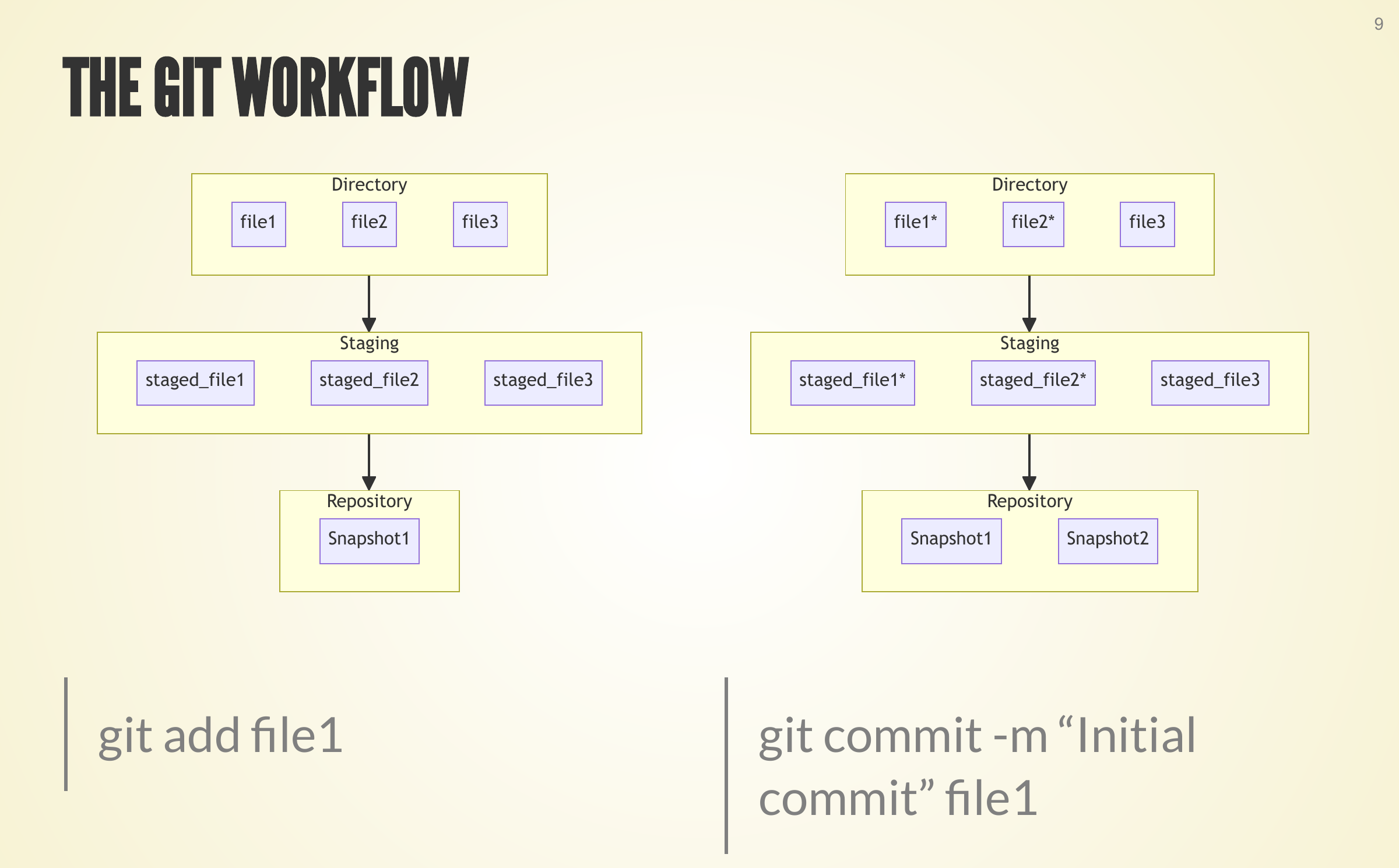
Record changes in stages
 Enlarge slide ↗
Move changes from the working directory through staging into a recorded snapshot.
A historical diagram compares the working directory, staging area and repository before and after an example commit.
Slide 10
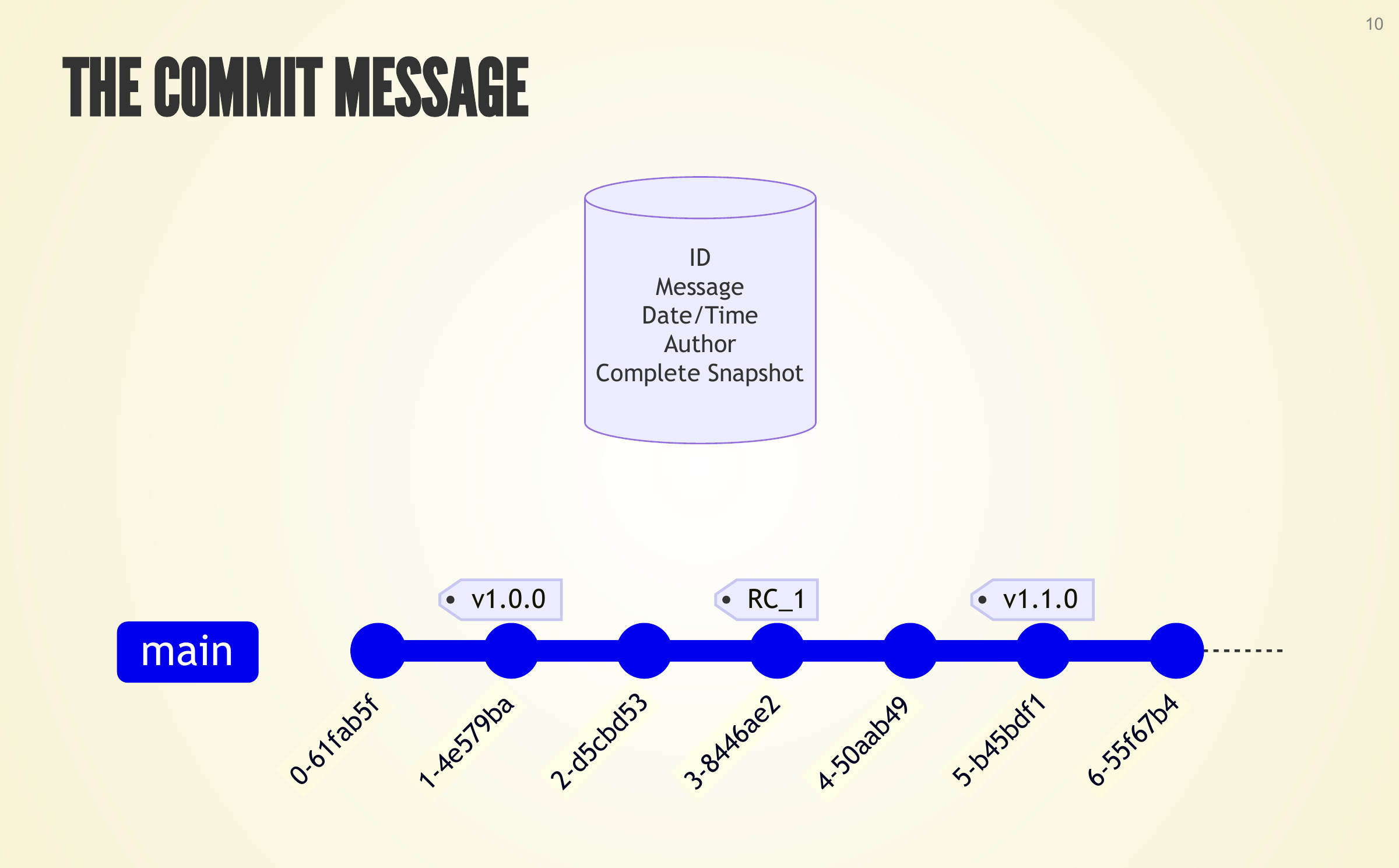
Make the record useful
 Enlarge slide ↗
A commit records a snapshot together with a message and its context.
A historical teaching diagram connects example commits to their identifier, message, date/time, author and complete snapshot. The labels are illustrative, not an operational repository view.
Slide 16
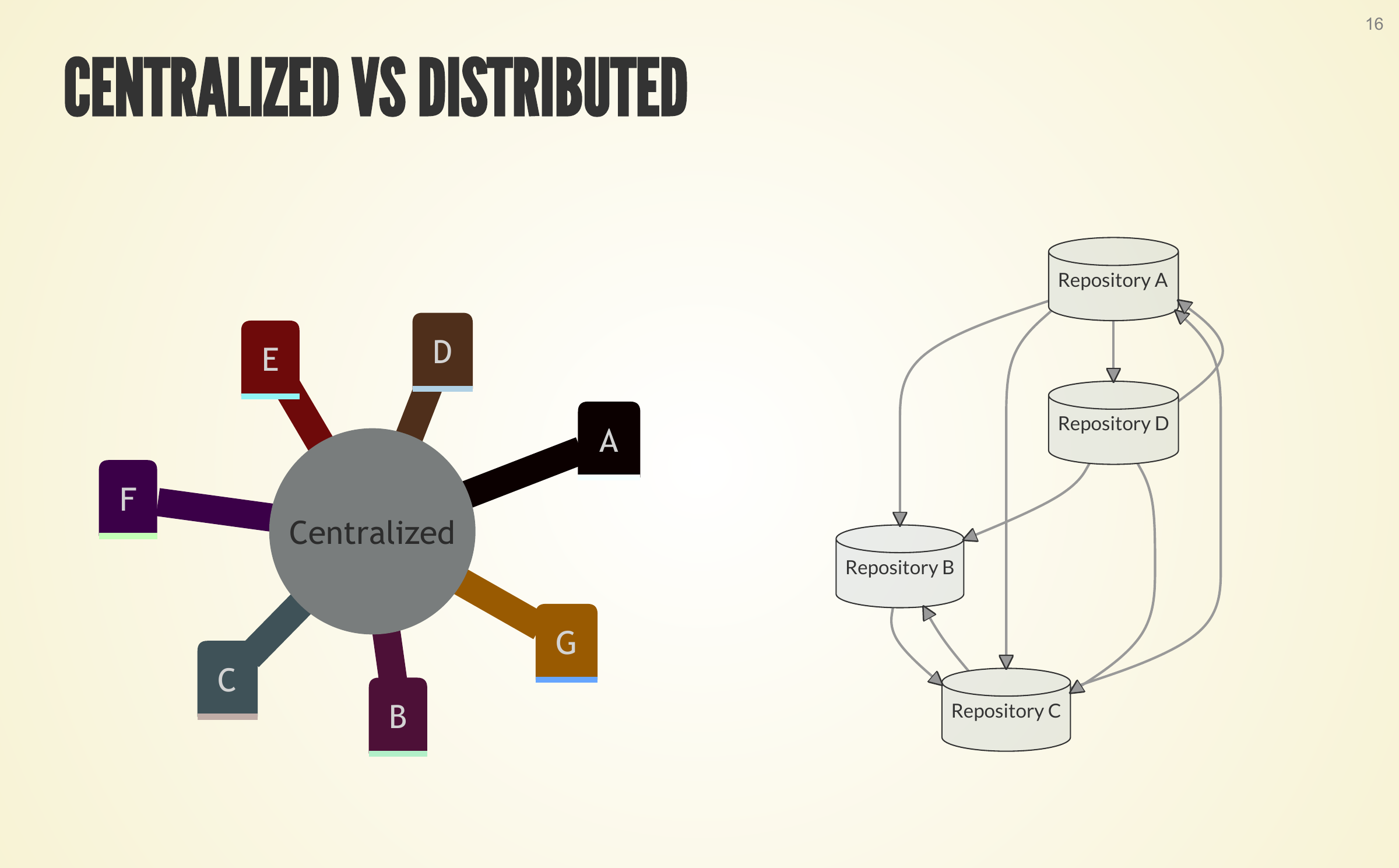
Understand distributed history
 Enlarge slide ↗
Explain the difference between centralised and distributed repositories.
A historical conceptual diagram contrasts a single central repository with several linked repository copies.
Slide 23
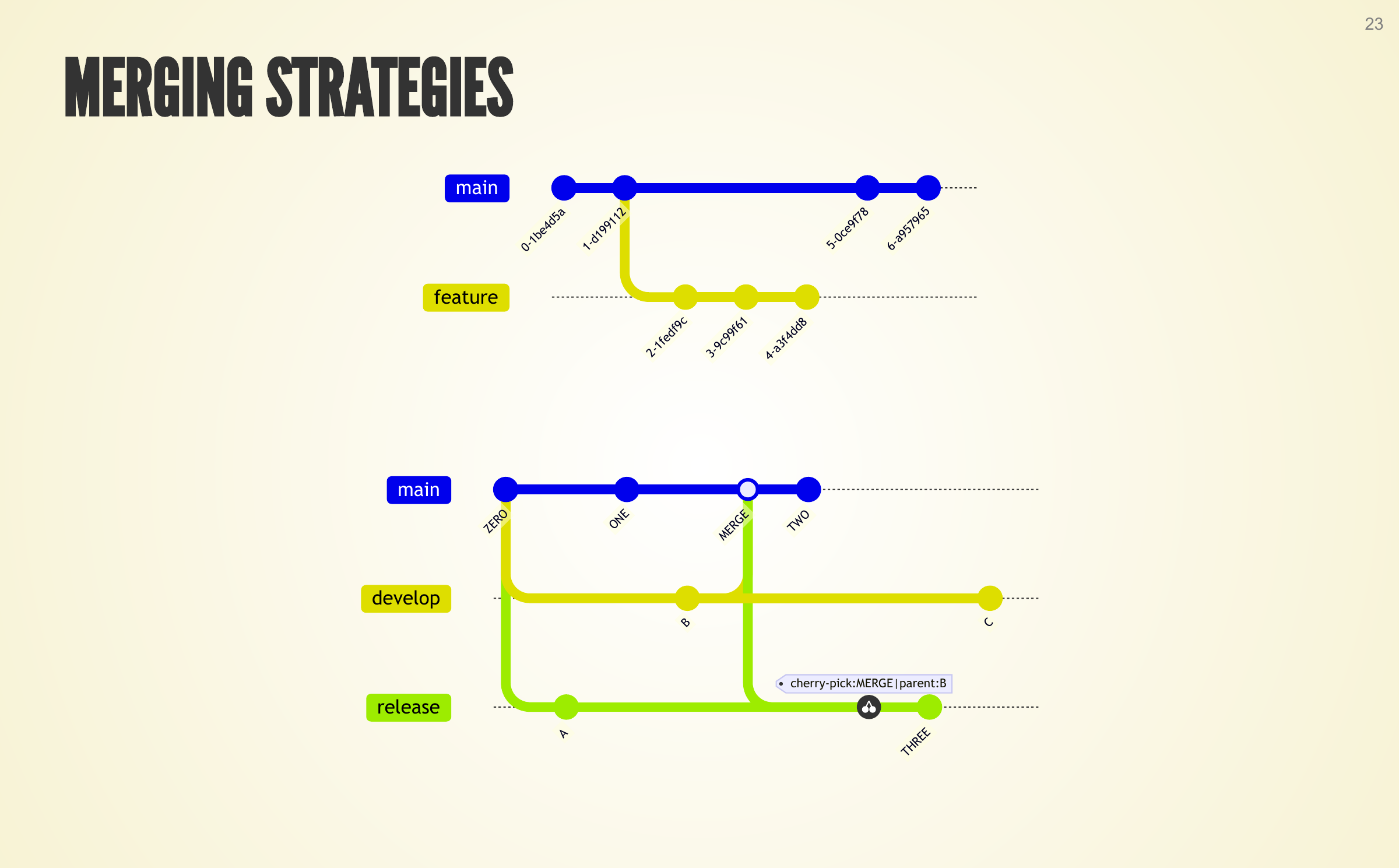
Keep changes organised
 Enlarge slide ↗
Use branches and deliberate merging to organise different lines of work.
Two historical branch diagrams illustrate a feature branch and a separate development and release arrangement with example commit labels.
Slide 26
Coordinate shared work
 Enlarge slide ↗
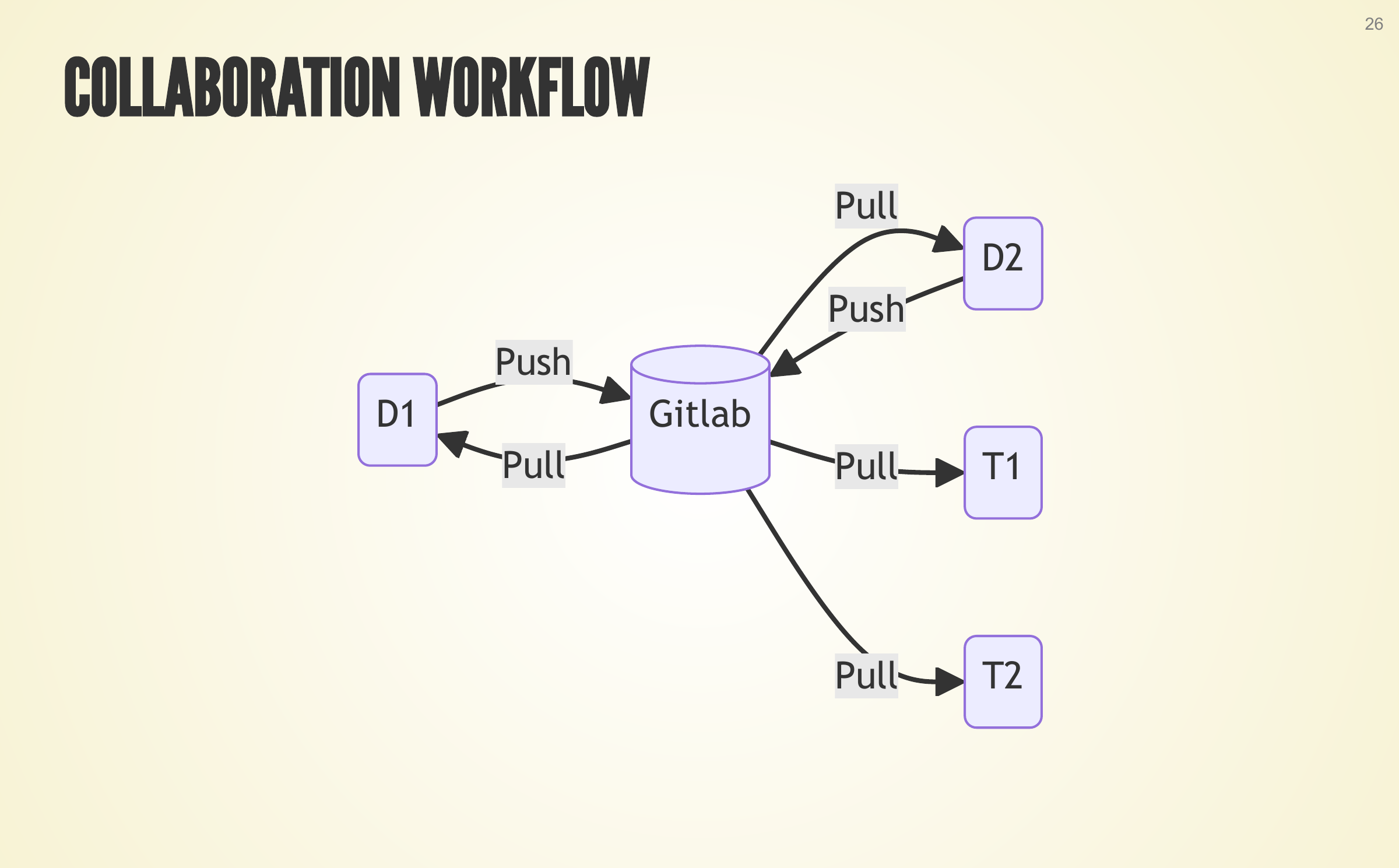
Show how contributors share changes and testers obtain them.
A historical diagram shows push and pull relationships between a GitLab repository, two example developers and two example testers.
Slide 28
Name useful checkpoints
 Enlarge slide ↗
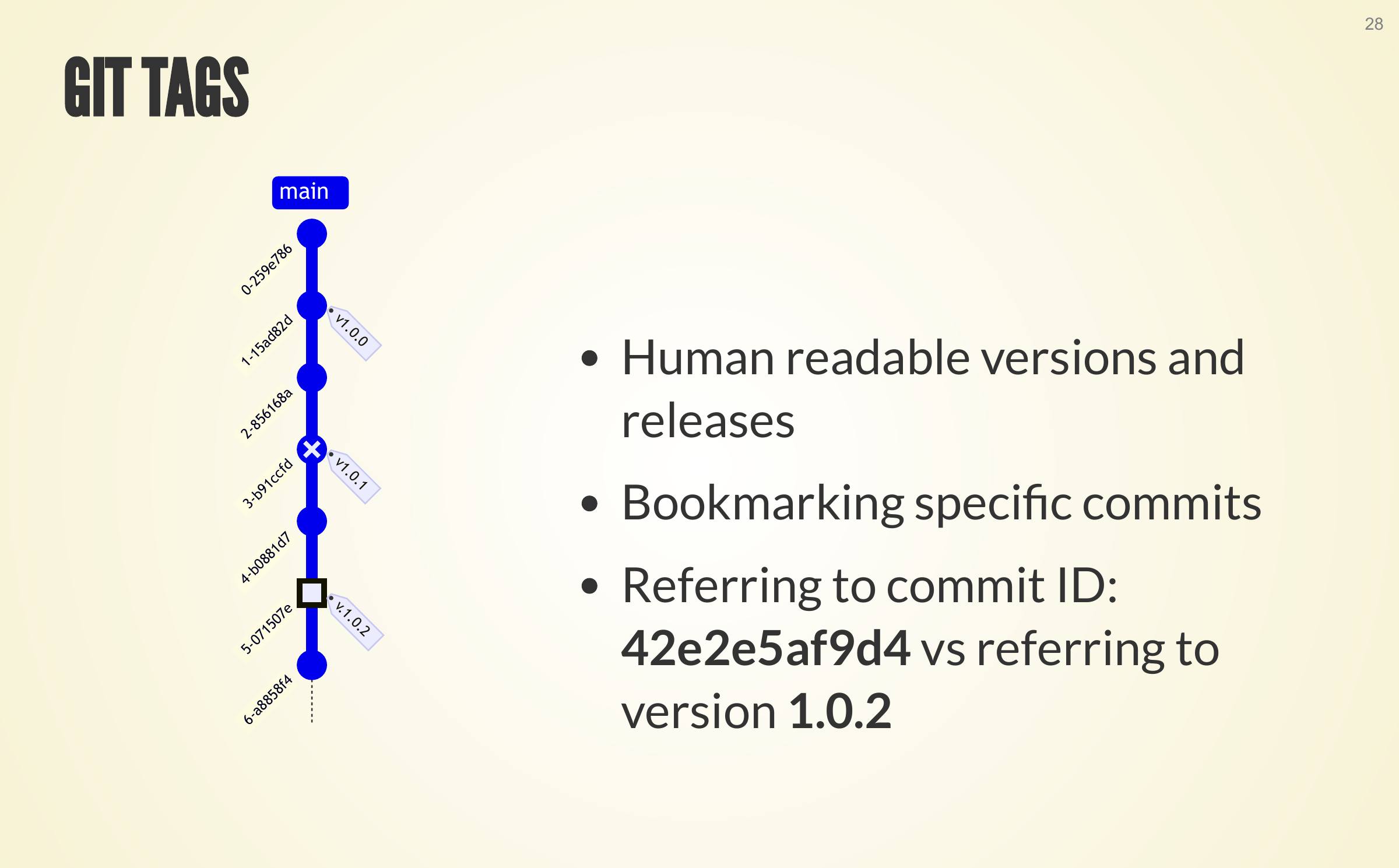
Use human-readable tags to identify versions and releases.
A historical teaching diagram places example version tags on a line of commits and contrasts a readable release label with an example commit identifier.